
Scheduled Payments on PayIt Fort Smith
After creating a PayIt Fort Smith profile (see Create a Profile on PayIt Fort Smith), you will have the option to schedule a payment. Add the item to your cart (see Pay a Utility Bill on PayIt Fort Smith), and follow the steps below to select a future payment date:
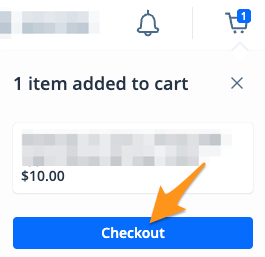
- On the cart notification, click Checkout
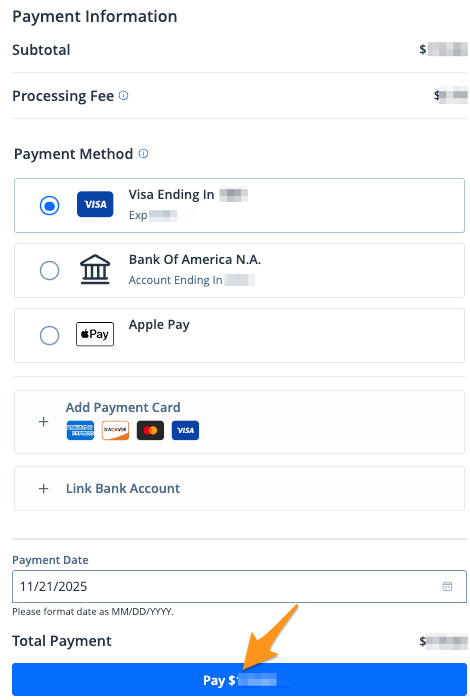
- After choosing your payment method, select your preferred "Payment Date" then click the blue Pay $--.-- button to complete your payment
Shortly after completing your scheduled payment, you will receive an email confirmation. You will also receive a reminder before your payment is fulfilled and a receipt after the payment is processed successfully (see Find a Receipt on PayIt Fort Smith).